
In today’s rapidly evolving AI landscape, chatbots have become necessary tools for organizations looking to simplify customer support and enhance employee experiences. As chatbots are increasingly deployed across various sectors, the need for advanced capabilities such as contextual understanding and memory retention is more critical than ever. For enhancing Chatbots with Persistent Memory Using PostgreSQL and LangChain, we can leverage the langchain component PostgresChatMessageHistory within the langchain-postgres package. In this article, we shall dive deep into how PostgreSQL can be leveraged as a persistent memory for creating natural and engaging conversational Chatbots using LangChain with PostgresChatMessageHistory component.
To facilitate the development of conversational AI, LangChain is a cutting-edge framework that can be integrated with various memory and retrieval mechanisms. PostgreSQL, a robust and scalable relational database, serves as an ideal backend for storing complex datasets and ensuring data persistence.
A quick Architecture Audit can save hours of troubleshooting later.
Try it Now!Let HexaRocket simplify it - migrate smarter, faster, and stress-free.
Contact us Today!HexaRocket performs end-to-end database migrations and replication seamlessly between Oracle, SQL Server, MySQL, MariaDB, and PostgreSQL.
Try Today!PostgreSQL consistently ranks high in the DB-Engines Ranking, a popular indicator of database management system popularity. Postgres was announced as the DBMS of the Year in 2023 and the consistently growing ranking reflects its growing adoption and recognition within the industry. Read our summary of PostgreSQL achievements in 2023.
PostgreSQL is not only a Relational database, it also supports NoSQL (JSON) and Vector database capabilities. Leveraging PostgreSQL simplifies users in maintaining a single database engine supporting multiple requirements. The PostgresChatMessageHistory component from langchain-postgres enables you to seamlessly store your chatbot's conversation history within the same database that holds other relevant user information. This integration goes beyond just chat history. We can store structured user data (e.g., user profiles, transaction records) and unstructured data (e.g., chat messages, document embeddings) in PostgreSQL. We can also integrate with support ticketing systems by joining session data with Support Systems and Token Tracking systems.
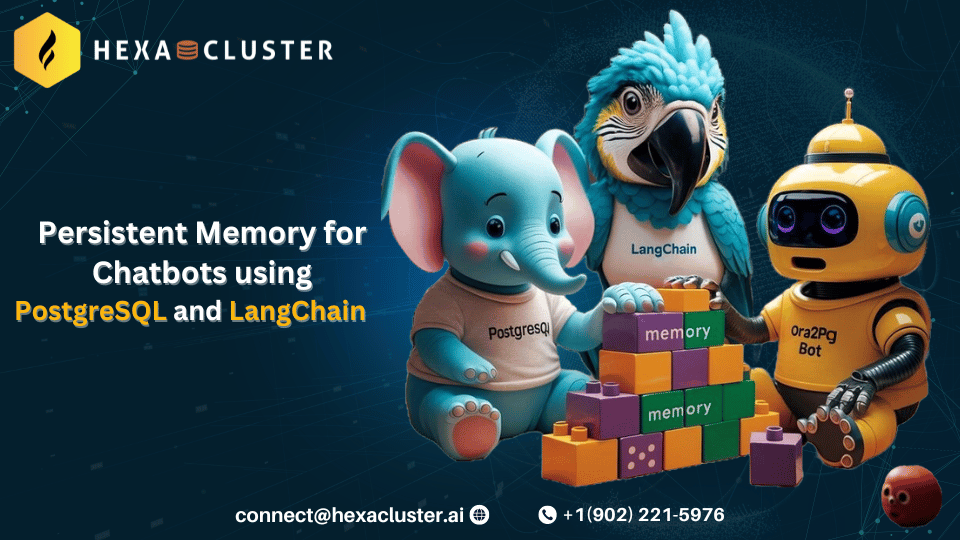
To begin with, imagine having a conversation where you constantly repeat yourself because the other person forgets what you just said. Well, that's the limitation of chatbots without memory. A chatbot needs to access and process information from previous exchanges in order to have a meaningful conversation.
This implies:
LangChain offers a toolbox for incorporating memory into your conversational AI systems. These tools are currently under development (beta) and primarily work with the older chain syntax (Legacy chains). However, the production-ready ChatMessageHistory functionality integrates seamlessly with the newer LCEL syntax.
Building an effective memory system involves two key decisions as follows.
Storage : How will you store information about past interactions ? LangChain offers options ranging from simple in-memory lists of chat messages to integrations with persistent databases for long-term storage.
Querying : How will you retrieve specific information from the stored data? A basic system might return the most recent messages. More sophisticated systems might provide summaries of past conversations, extract entities, or use past information to tailor responses to the current context.
This is a super lightweight wrapper that provides convenient methods for saving HumanMessages, AIMessages, and then fetching them all.
You may want to use this class directly if you are managing memory outside of a chain.
pip install langchain langchain-community
from langchain.memory import ChatMessageHistory

history = ChatMessageHistory()

history.add_user_message("hi!")

history.add_ai_message("whats up?")
Here, ChatMessageHistory() initializes a memory object and then using methods like add_user_message and add_ai_message, we can add the messages to the ChatMessageHistory Object “history”.
To retrieve the stored messages, we utilize the messages property of this class.
history.messages
It returns a list of BaseMessage objects.
[HumanMessage(content='hi!', additional_kwargs={}),
AIMessage(content='whats up?', additional_kwargs={})]
PostgresChatMessageHistory is a powerful component within LangChain's memory module. It bridges the gap between LangChain's in-memory conversation history buffers and persistent storage solutions by enabling you to store and retrieve chat message history in a PostgreSQL database.
This integration offers several advantages over short-lived conversation buffers such as
Persistence
Scalability
A quick Architecture Audit can save hours of troubleshooting later.
Try it Now!Let HexaRocket simplify it - migrate smarter, faster, and stress-free.
Contact us Today!HexaRocket performs end-to-end database migrations and replication seamlessly between Oracle, SQL Server, MySQL, MariaDB, and PostgreSQL.
Try Today!Incorporating PostgresChatMessageHistory into your LangChain application involves a few straightforward steps:
Install the package using the following command.
pip install langchain-postgres psycopg[binary,pool]
Import the required libraries using the following commands.
import uuid

from langchain_core.messages import AIMessage, HumanMessage
from langchain_postgres import PostgresChatMessageHistory
import psycopg
Establish a synchronous connection to the database (or use psycopg.AsyncConnection for async).
conn_info = "postgresql://username:password@host/db_name"
sync_connection = psycopg.connect(conn_info)
Replace username, password, host, and db_name with your database Info.
Create the table schema (only needs to be done once).
table_name = "message_store"
PostgresChatMessageHistory.create_tables(sync_connection, table_name)
Initialize, add, and retrieve messages to and from History.
session_id = str(uuid.uuid4())

# Initialize the chat history manager
chat_history = PostgresChatMessageHistory(
    table_name,
    session_id,
    sync_connection=sync_connection
)

# Add messages to the chat history
chat_history.add_messages([
HumanMessage(content="Hi Ora2pg bot"),
AIMessage(content="Hello, How can I assist you today"),
])

print(chat_history.messages)
Here, we will use RunnableWithMessageHistory which will automate the process of adding messages and retrieving the messages to and from message History whenever the chain is invoked, we can customize our chain even without using RunnableWithMessageHistory.
pip install langchain-openai
Import the following, here we will use openAI for demonstration.
from langchain_core.prompts import ChatPromptTemplate, MessagesPlaceholder
from langchain_openai.chat_models import ChatOpenAI
from langchain_core.runnables.history import RunnableWithMessageHistory
Set your OpenAI API key in the environment variable openai_api_key
Give a prompt for your chatbot.
model = ChatOpenAI(model_name = 'gpt-3.5-turbo-0125',openai_api_key=your_key)
prompt = ChatPromptTemplate.from_messages(
   [
       (
           "system",
           "You're an Ora2pg assistant who's good at solving user queries related to ora2pg tool (oracle to Postgres Migration tool).",
       ),
       MessagesPlaceholder(variable_name="history"),
       ("human", "{input}"),
   ]
)
Initialize RunnableWithMessageHistory with the variable you used in your prompt like input for user query and history for chat message history.
chain = prompt | model
with_message_history = RunnableWithMessageHistory(
   chain,
   get_session_history,
   input_messages_key="input",
   history_messages_key="history",
)
get_session_history is a function that returns a type of BaseChatMessageHistory object, and PostgresChatMessageHistory is a subclass of BaseChatMessageHistory.
def get_session_history(session_id: str) -> BaseChatMessageHistory:
   return PostgresChatMessageHistory(
		table_name,
		session_id,
		sync_connection=sync_connection
)
RunnableWithMessageHistory internally invokes messages property to fetch the messages into prompt and pass the prompt into the model as in chain.
Finally, invoke your model,
print(with_message_history.invoke(
   {"input": "How to install Ora2pg?"},
   config={"configurable": {"session_id": session_id}},
))
In conclusion, langchain's memory system, particularly the PostgresChatMessageHistory integration, equips us with the tools to build chatbots that surpass the limitations of forgetfulness. This persistent memory allows them to maintain context, reference past interactions, and ultimately deliver more natural and engaging user experiences.
If you need help build AI Chatbots with Advanced RAG for your business use case, Contact Us today. In addition to AI Use Cases, we are experts in PostgreSQL Consulting and Database Migrations. You may fill the form below and someone from our team will get in touch with you.
.png)
Surya Sree is working as a Machine Learning Engineer and a Backend Developer at HexaCluster. Surya Sree holds dual degree from Top Universities like IIT and IIIT. She is passionate about Machine Learning and Open-source databases since the beginning of her academics. She has helped multiple Customers of HexaCluster build AI Chatbots using Advanced RAG techniques and also supported her Customers with various AI Use Cases.
Start your migration journey 🚀
start your migration journey with our expert team
Database & Application Migration Assessment Tool
End-to-End Database Migration & Modernization Tool
Database Code Object Conversion to PostgreSQL
MyBatis Mapper Conversion to PostgreSQL
Enterprise Data Replication & Live CDC
Oracle Compatibility Layer for PostgreSQL